Tasks
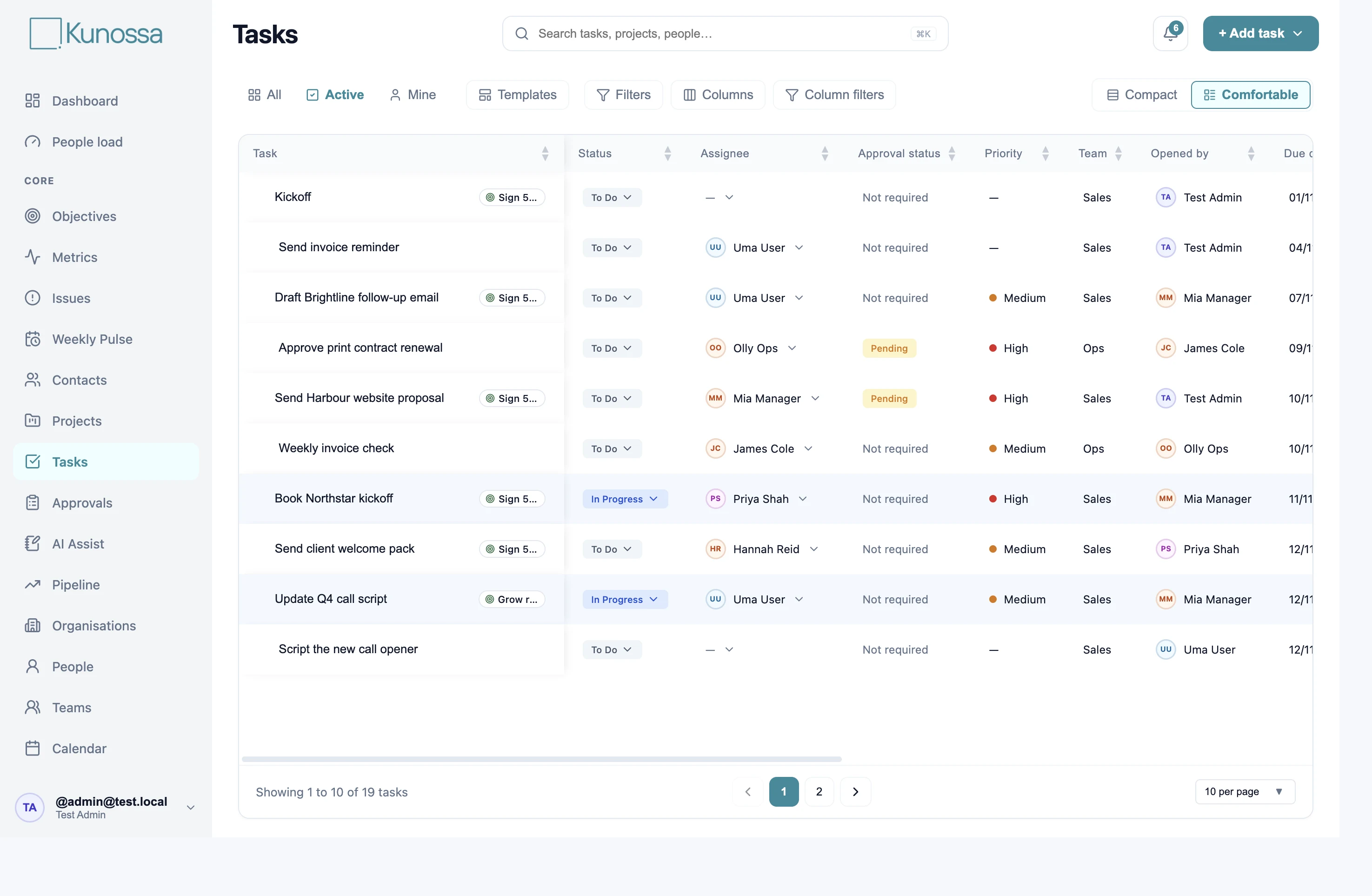
Owners, due dates, priorities, subtasks, notes and files. Work independently or within a project. Weekly, monthly and quarterly repeats keep regular work moving.

One connected view for business leaders. Clear, shared work for the team.
Ready-built modules bring people, delivery, customers and priorities together.
Owners, due dates, priorities, subtasks, notes and files. Work independently or within a project. Weekly, monthly and quarterly repeats keep regular work moving.
Give delivery work a lead, team and due date. Keep nested tasks together and link projects to contacts, organisations and quarterly objectives.
Bring requests for sign-off into one queue. Approve or reject, with notifications to keep the people involved informed.
See due dates across the modules you can access. Jump from a calendar entry into the work behind it.
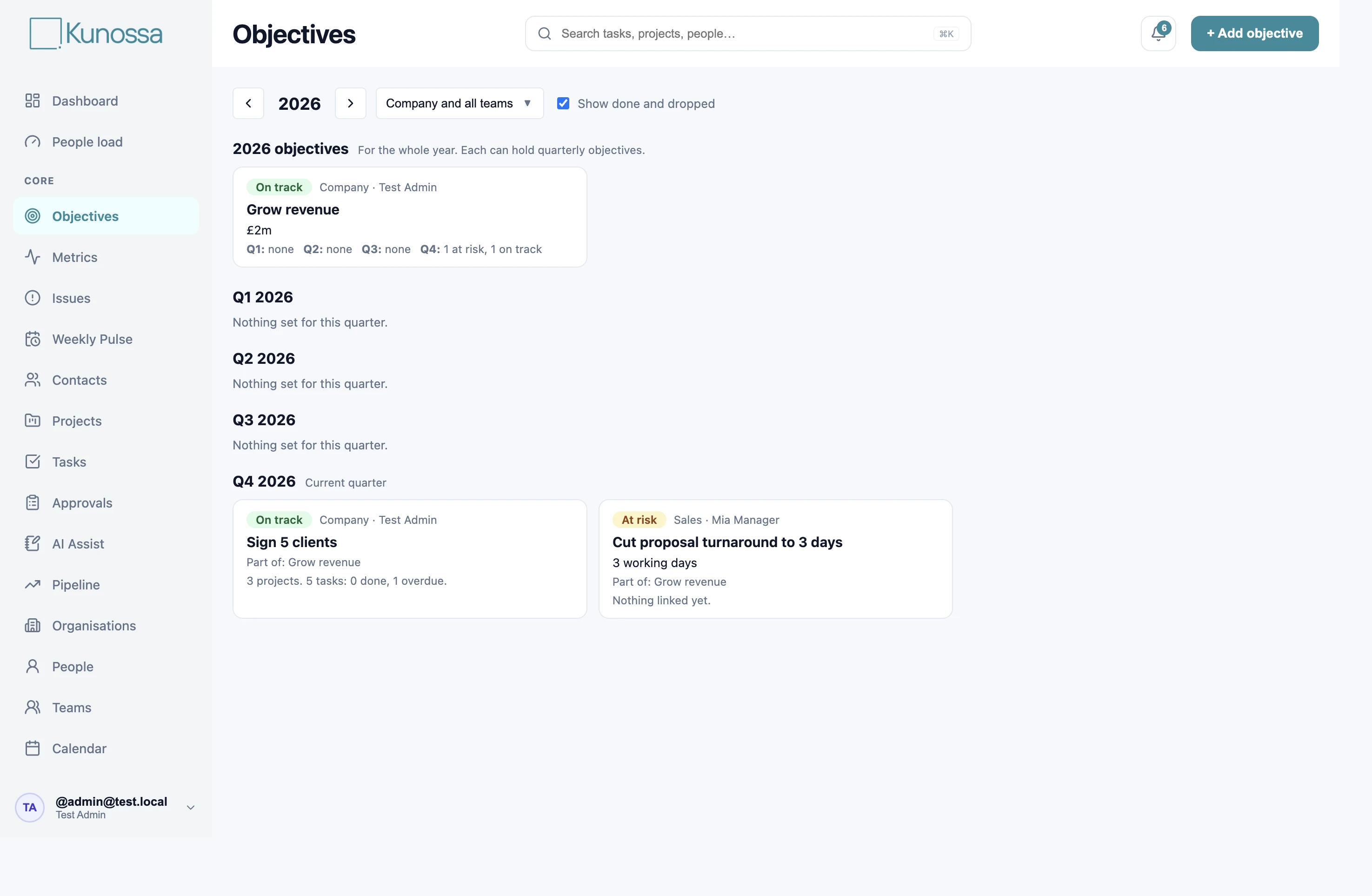
Set annual and quarterly aims with owners, targets and statuses. Link the projects, pipelines and tasks that help deliver them.
Follow a handful of weekly numbers with owners and targets. Enter values or use calculated metrics; see off-target numbers on the dashboard.
Raise the challenges getting in the way. Discuss them, record decisions and turn actions into ordinary tasks with owners.
Run the weekly meeting from the same metrics, objectives, tasks and issues everyone works with. Edit a record and stay in the meeting view.
Choose widgets that bring relevant work and priorities into focus. Mine, team and wider views depend on your role.
Managers and admins can spot capacity pressure from open and overdue work, projects and pending approvals. Capacity visibility, not a performance score.
Keep roles, teams and reporting lines clear. Record each person’s responsibilities as a simple ordered list, separate from their tasks.
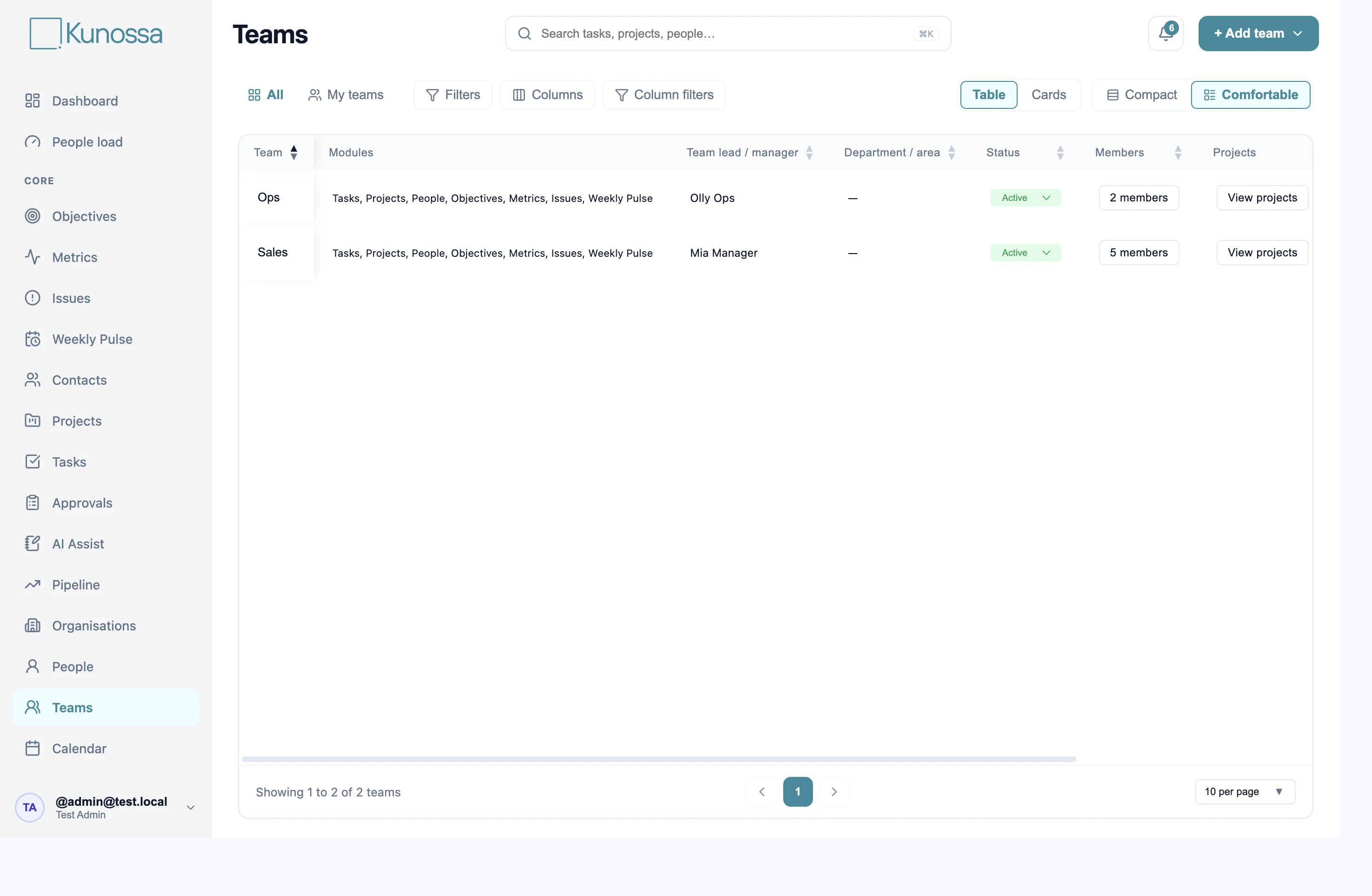
Set team leads and memberships. Choose which enabled modules each team can see.
Manage external people and connect them to organisations, projects and pipeline opportunities. Add individuals or bulk edit and import.
Keep company and account records together, with linked contacts, projects and opportunities.
Move sales opportunities through stages with values, contacts, organisations and next actions. Turn Pipeline off if your business doesn’t need it.
Use your own AI to propose tasks, projects and work updates from notes or transcripts. Review the proposals and apply the ones you want. Access is permission-based.
Prepare your company structure with your AI using the setup pack. Submit the plan, check it and apply it when you are ready.
Connect existing tools alongside Kunossa and keep specialist systems part of your workflow. Discuss the connections your business needs during discovery.
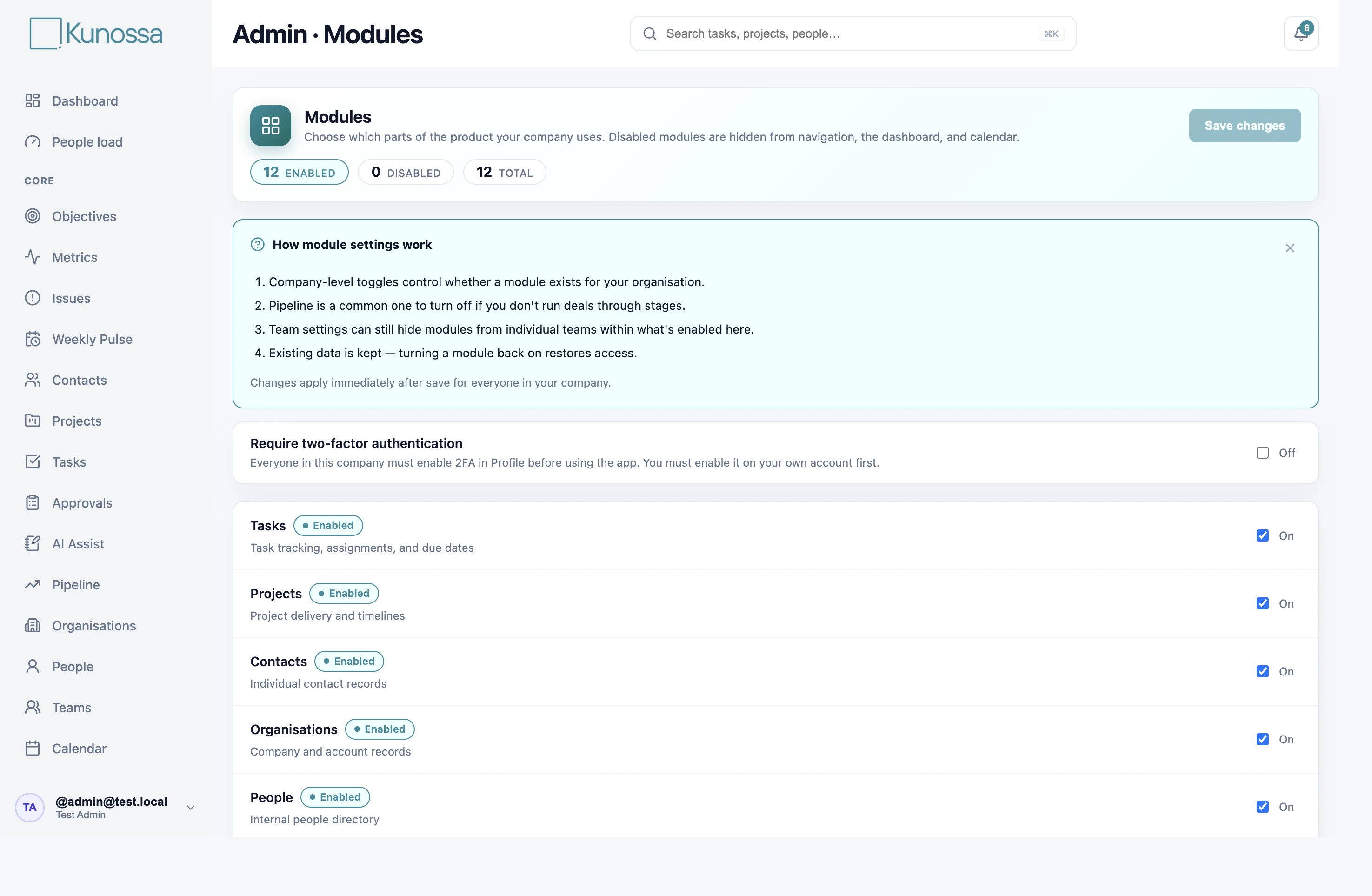
Control company modules, team access, approval permissions and AI Assist access. Adjust status labels and lookup options when your workflows need it.
Choose light or charcoal dark appearance and reorder your personal navigation. Dashboard stays pinned at the top.
Find work across the modules you can see. In-app notifications and configurable email updates help you stay informed.
Join the pilot. Free access, assisted setup and dedicated support.
Book a discovery call ↗