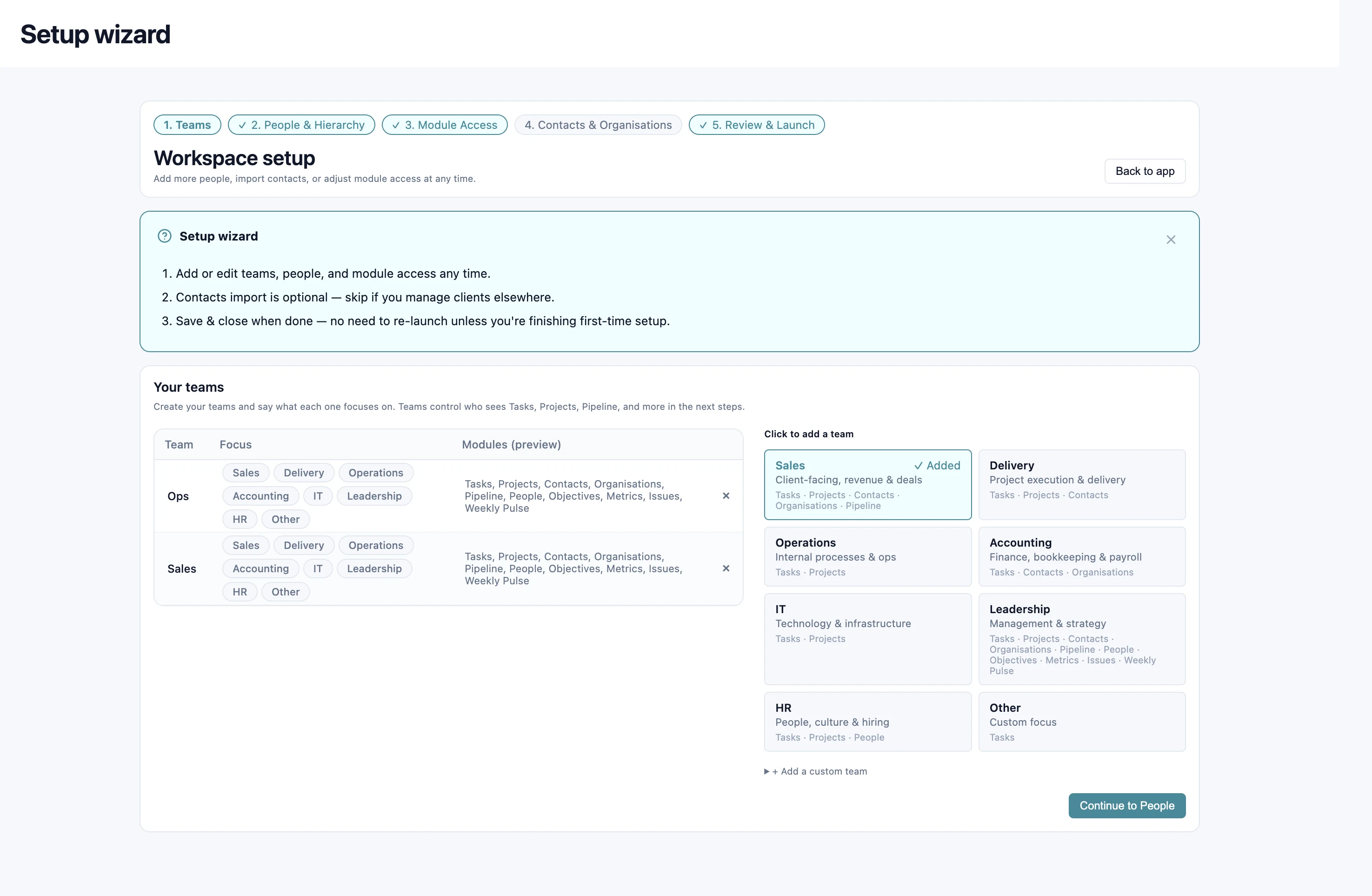
Add your teams
Choose team focus options or add your own teams. Start with the structure your business already uses.

Ready-built modules. Setup in a day.
Configured around your teams and roles.
Choose team focus options or add your own teams. Start with the structure your business already uses.
Add people, match them to teams and set reporting lines.
Choose what the company uses and what each team can see. Add contacts if you need them.
Check the workspace and bring everyone into one shared place to run the work.
Start with an org chart or staff spreadsheet: names, teams and who reports to whom.
You can also include organisations, projects, tasks and pipeline stages. Nothing goes live until you apply the plan.
Use your own AI to turn notes, transcripts and instructions into proposed work in Kunossa.
With the supported connection configured, your AI can propose tasks, projects and updates. AI Assist gives you a place to review and select those changes before applying them.
Admins control who has access. People see their own proposals. Your AI helps prepare the work; you keep the final say.
No. Choose the modules your company needs, then set visibility for each team. Disabled modules disappear from navigation, the dashboard and calendar; their data is retained.
Yes. Return to the setup wizard to edit teams, people and module access. Your workspace can develop with the organisation.
No. Contacts import is optional. Keep that step for when it is useful to your business.
AI prepares proposals. You review them and choose what to apply. Nothing goes live until you apply it.
The pilot offer includes free access, assisted setup or migration, dedicated support and an opportunity to help shape the platform. Bespoke integration needs can be discussed during discovery.
Join the pilot. Free access, assisted setup and dedicated support.
Book a discovery call ↗